.Ember is a calm, ADHD-first productivity app for macOS - journal, todos,
calendar, timer, news, and stats in one quiet interface, built so showing
up is the only step.
The page below is about design decisions and why they were made.
Why I built it
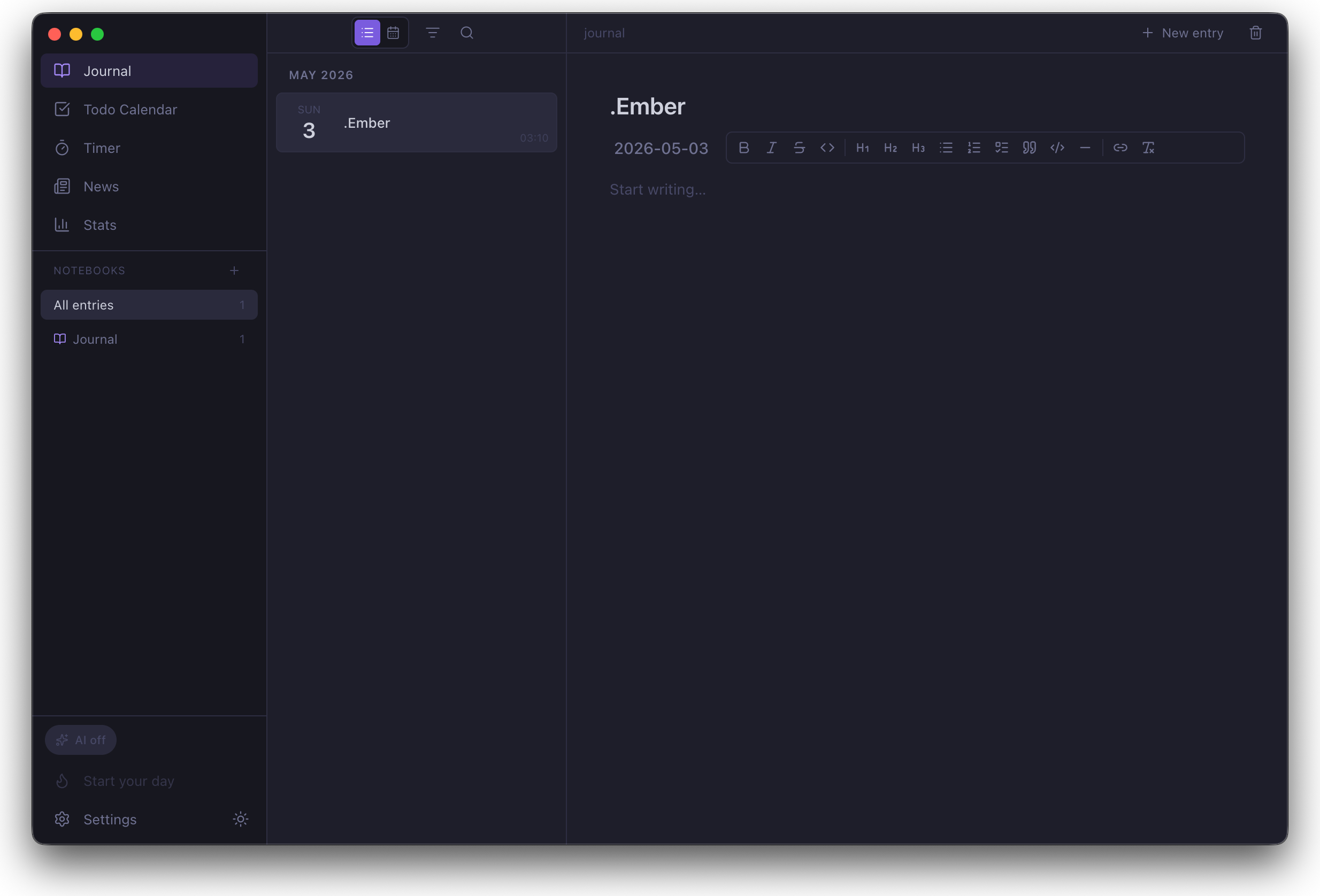 Journal view
Like many, I was using a separate app for journal, todos, calendar, timer,
and RSS. That setup quietly added up - five different environments, five
different ways of doing things. I’d open three of them in the morning and,
by the time I got to the fourth, couldn’t care less.
I didn’t need a more sophisticated single app. I needed one that fit my
day. So I started building .Ember.
ADHD-first: as little friction as possible
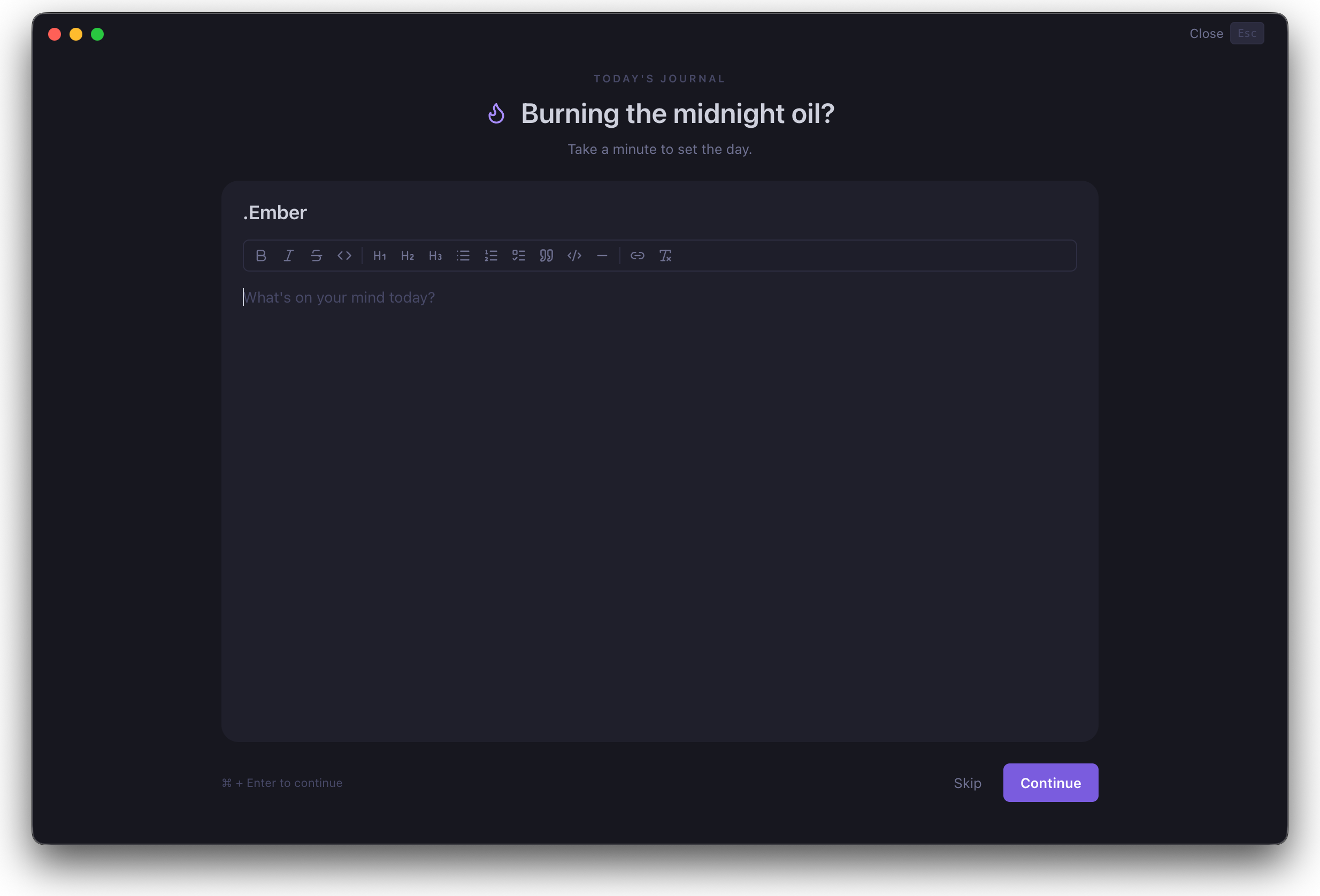 Focus Daily Entry
I focused on one hero feature and built everything around it. Because of
my own ADHD tendencies, what I needed most was focus with as little
friction as possible - so the Focus Daily Entry mode became the center
of gravity. The first thing that opens on every single day is a
full-screen Journal + Todo capture wizard. No sidebar, no tabs, no
decision about which view to be in - just write, then list what you want
to do today.
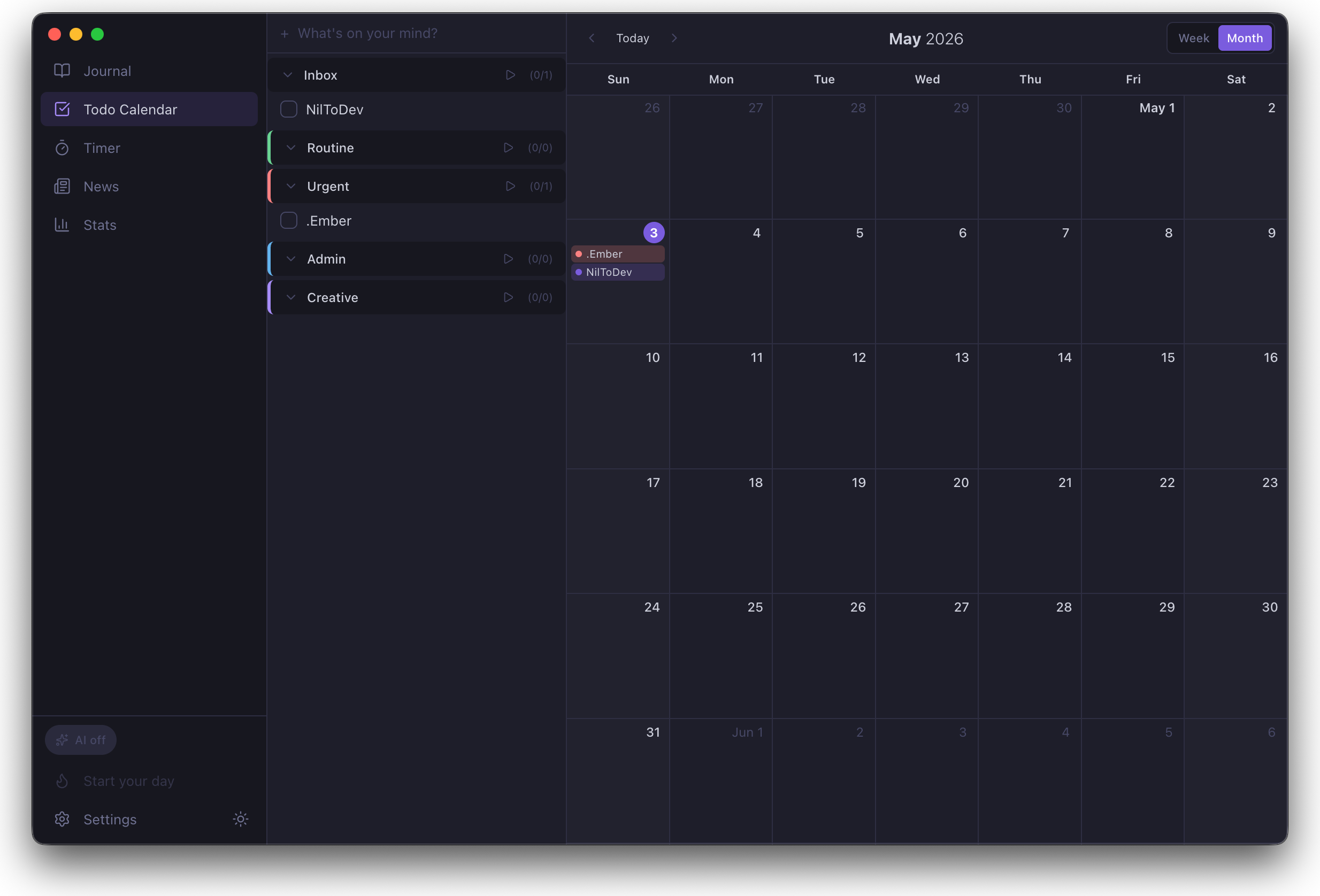 Block view
The rest of the features are built around that. Blocks let you bucket
todos by context (Routine, Work, Personal, whatever you make) and run a
block straight into the timer. The command palette (Cmd+K) is one
keystroke from anywhere. Repeat-rule todos seed themselves automatically
each morning, but they don’t inflate the “I didn’t do anything today”
feeling - the system tells the difference between an auto-renewed habit
and a thing you typed in yourself.
Design: as minimal as it gets
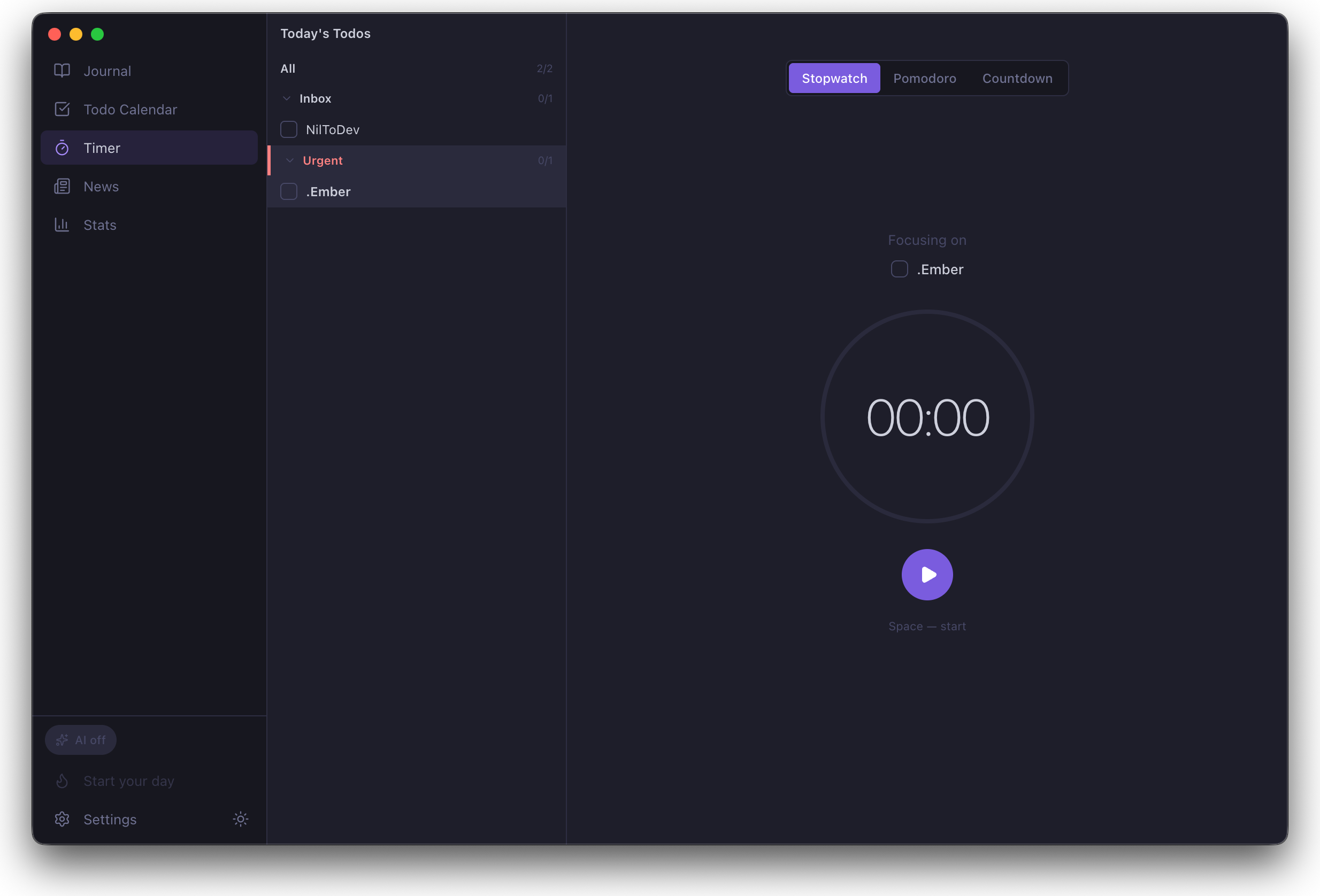 Timer view
The visual language borrows from the apps I already use daily - Obsidian’s
vault model and the calmness of native macOS. Tight spacing, two-tone
purple accent, no decorative chrome. On narrow windows the sidebar
collapses to icons so the macOS traffic-light cluster fits cleanly inside
it. Every animation lands in 100-200 ms - fast enough to feel responsive,
slow enough to feel intentional. Always as minimal as possible, to keep
attention where it belongs.
Local-first: your data is always yours
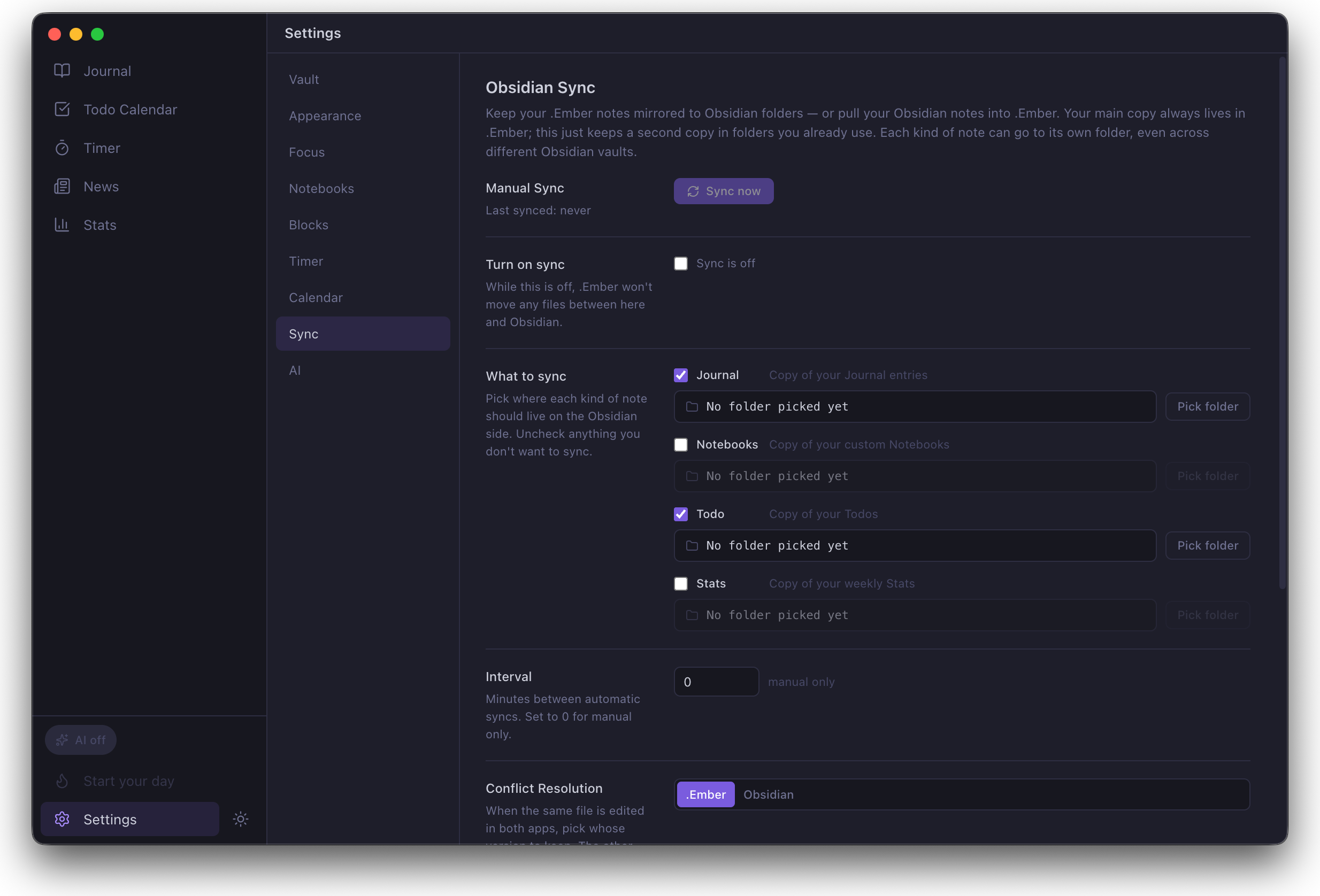 Sync settings
Like many Obsidian users, I’m more comfortable when the data is mine to
hold directly. .Ember stores everything as plain Markdown in a folder you
choose - point it at an iCloud Drive folder, a Documents subfolder,
even a USB stick. The Markdown is the source of truth; the SQLite database
next to it is a search-index cache the app can rebuild any time.
iCloud sync is optional, going through Apple’s CloudKit private DB so your
data stays in your own iCloud account. There is no NilToDev server. RSS
feeds fetch directly from publishers. AI features use your own API key and
are off by default.
A note for Obsidian users. There’s an optional Obsidian Sync
feature, but it expects two distinct folders - one for the .Ember
vault, one for Obsidian, never the same path. The sync engine mirrors
Markdown between them on a schedule you set, with a dry-run preview on
the first run and conflict-loser files preserved automatically.
Pointing the app at a folder that already contains an .obsidian/
workspace is not supported. See “Can I use .Ember with Obsidian?” in
the Q&A.
Stack: the first attempt
This is my first Mac app, and I originally picked the stack I could move
fastest on:
- Electron + electron-vite - cross-platform-ready out of the box.
- React 19 + TypeScript - honestly, the ecosystem with the most
documentation and community to lean on.
- Zustand - one store per feature, no boilerplate, no provider tree.
- better-sqlite3 - synchronous, native, fast enough that FTS5 search
returns instantly.
- Apple CloudKit JS - sync without writing a backend.
It got me to a working MVP quickly. But by the time I was packaging for
the Mac App Store, the cracks were obvious. Sandbox-aware code signing
turned into a multi-day cascade of packaging bugs. CloudKit JS doesn’t
expose fetchRecordChanges, so every sync had to be a full query. Liquid
Glass on macOS 26 wasn’t reachable from a Chromium renderer. And the
Calendar + StoreKit code I’d already written in Swift had to be re-wrapped
as Node native modules just to call from the renderer.
The real reason, though - I wanted .Ember on iOS too. With Electron,
that’s a separate React Native codebase sharing nothing useful. With
Swift, iOS is just a sibling target on the same core. The packaging pain
and Liquid Glass gap only made the call easier.
So I rewrote it.
Stack: the rewrite
- SwiftUI + AppKit - SwiftUI for chrome, AppKit for hot paths
(calendar grids, sidebar, drag-and-drop, menu-bar tray). Markdown
editing via CodeMirror 6.
- SwiftData - auxiliary cache; the Markdown files in your vault are
still the source of truth.
- SQLite + FTS5 - full-text search across journal entries and todos.
- CloudKit (private DB) + iCloud Drive - structured records via
CloudKit; vault files via iCloud Drive. Optional Obsidian-mirror
for bidirectional sync to any folder.
- StoreKit 2 - 14-day trial and the one-time IAP, no JS bridge in
the middle.
- EventKit - native macOS Calendar integration for Apple accounts.
- Google Calendar adapter - multi-account, plus Google Tasks
(read-only).
Mac App Store only, sandboxed, with its own iCloud container. Lighter
binary, fewer moving parts, and a clean foundation an iOS app can sit on
top of without a second codebase.